

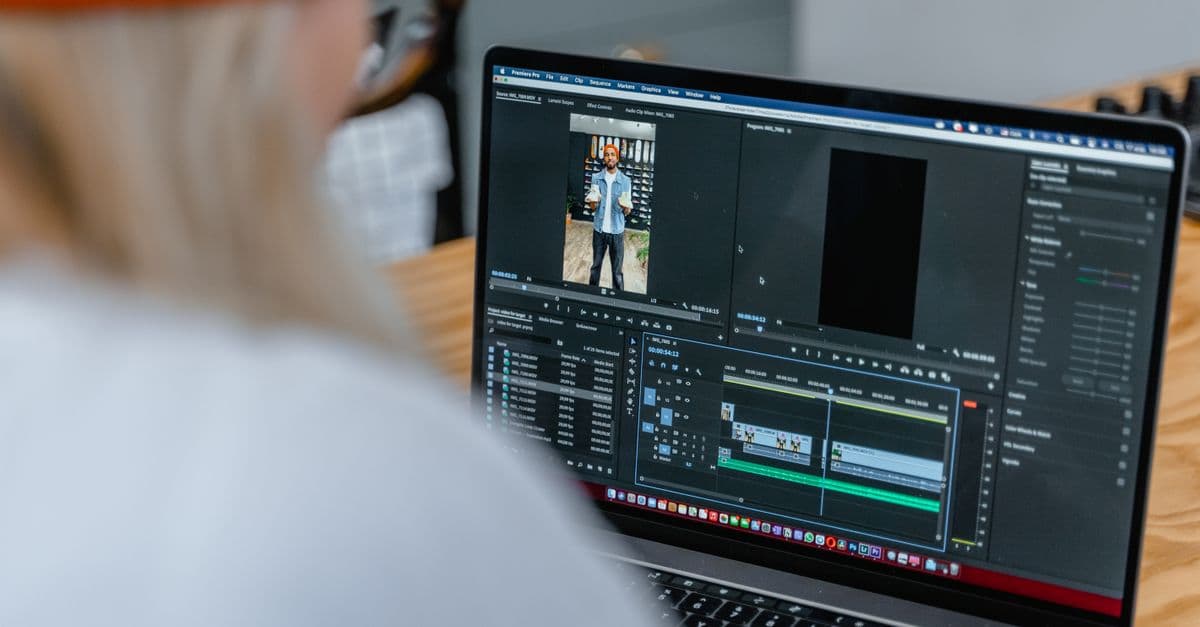
Multicam Editorial Strategy & Workflow Optimization
Optimize multi-camera workflows and sync strategies in Final Cut Pro
What You Can Do
You can architect efficient multi-camera editing workflows optimized for Final Cut Pro, plan robust synchronization strategies across multiple camera angles, and design realistic production timelines that prevent bottlenecks. This skill transforms complex multicam shoots into streamlined editorial pipelines tailored to your team size, budget, and output deadlines.
Features
Design end-to-end multicam pipelines from ingestion through export, accounting for your production scale, team resources, and Final Cut Pro capabilities
Compare and recommend timecode-based, audio-based, and visual cue synchronization methods based on your camera setup and production type
Create detailed post-production calendars that sequence ingestion, dailies, editing, color, sound, and delivery phases to optimize team efficiency
Build reusable FCP multicam sequences with pre-configured angles, audio routing, and effect stacks for consistent cutting across the project
Plan efficient proxy generation, storage, and cache management to balance editing performance with timeline responsiveness
Design ingestion workflows, backup protocols, and archive procedures that protect multicam source footage and enable rapid recovery
Create shot-level and sequence-level QC procedures to catch sync drift, audio imbalance, and editing inconsistencies early
Adapt workflows from single-editor documentaries to large-scale broadcast productions with multi-editor teams and parallel workstreams
Example Output
Example 1: Sync Strategy Comparison
| Sync Method | Setup Time | Accuracy | Best For |
|---|---|---|---|
| Timecode | Low | ±1 frame | Coordinated shoots, ENG |
| Audio sync | Medium | ±2 frames | Documentaries, multi-angle interviews |
| Visual cues | High | ±5 frames | Budget shoots, no extra hardware |
Example 2: Editorial Timeline (2-week turnaround)
- Day 1-2: Ingest + organize footage → generate proxies → create multicam clips
- Day 3-7: Editor A cuts main sequence, Editor B crafts insert passes
- Day 8-9: Parallel color grade + audio mix
- Day 10-11: Final review + delivery prep
Example 3: FCP Multicam Config
- 4-camera sequence: A-cam (wide), B-cam (close-up), C-cam (reaction), D-cam (detail)
- Audio: 4 stereo pairs synced to Timecode → split to mono per camera for mixing
What's Included
- SKILL.md: Comprehensive multicam workflow strategy guide with decision trees for selecting sync methods and timeline approaches
- FCP Configuration Worksheet: Step-by-step setup for multicam sequences, proxy settings, and render optimization
- Workflow Checklist: Phase-by-phase verification tasks for ingestion, sync validation, editing QC, and delivery
- Team Responsibility Matrix: Clear role definitions (editor, colorist, sound engineer) and handoff points in multicam pipelines
- Production Scaling Template: Adjust team size, phases, and parallel workstreams based on project scope
- Sync Troubleshooting Guide: Diagnosis and fixes for drift, audio misalignment, timecode gaps, and codec conflicts
- Storage & Backup Planning: Recommend RAID configs, archive strategies, and disaster recovery for multicam projects
Who It's For
- Documentary editors — Synchronize multi-angle coverage from fly-on-the-wall shoots and organize editorial workflows for long-form narratives
- Broadcast news editors — Coordinate ENG camera angles, interviews, and B-roll with daily turnaround pressures
- Commercial production editors — Plan efficient multicam workflows for high-volume interviews, testimonials, and branded content shoots
- Live event producers — Design post-production pipelines for multicam broadcast capture with real-time editorial constraints
- Post-production supervisors — Oversee team workflows, allocate editors across multiple simultaneous multicam projects, and manage resource bottlenecks
Best For
- Multicam sync strategy selection — Choose the right synchronization method before ingesting footage
- Workflow efficiency optimization — Reduce post-production timeline and eliminate team bottlenecks through strategic sequencing
- Multi-editor coordination — Define clear responsibilities, handoff points, and quality gates when multiple editors work on one project
- Production timeline estimation — Create accurate schedules accounting for review cycles, revisions, and parallel workstreams
- Technical risk mitigation — Prevent sync drift, storage failures, and color/audio inconsistencies through proactive planning
You might also like

You can rapidly produce news stories from research to publication, automatically optimizing content for web, social media, and email platforms. Claude helps you generate SEO-friendly headlines, craft engaging social snippets, structure compelling narratives, and manage your publishing workflow—all while maintaining editorial quality and deadline pressure.
 by majiayu000
Analyze out-of-band (OB) signal patterns to detect degradation, intermittency, and latency anomalies. Generate failover runbooks that automate detection-to-recovery workflows, reducing MTTR. Execute blind diagnostics when primary channels fail, identifying root causes through log correlation and metric analysis.
by majiayu000
You can load existing PRDs or saved prompts, discuss targeted improvements with Claude, and refine requirements without losing track of what changed. The skill manages source discovery, guides you through iteration cycles, and maintains clear modification markers ([ADDED], [MODIFIED], [REMOVED], [UNCHANGED]) so you always know what evolved during refinement.
by majiayu000
You generate production-ready design briefs from client requirements, automatically check dozens of designs for brand consistency violations, and orchestrate batch workflows with approval checkpoints. This skill ensures every design aligns with your brand guidelines while accelerating your design approval cycle by weeks.
by majiayu000
You can organize intricate multi-track timelines with nested sequences, manage high-resolution and proxy workflows, and generate detailed technical specifications for multi-format delivery across broadcast, streaming, and archival standards. Claude analyzes your project structure, tracks media dependencies, and creates implementation roadmaps that ensure smooth handoff to colorists, sound designers, and delivery teams.
by majiayu000
Generate polished sports segment scripts complete with stat callbacks, narrative hooks, and compelling angles — in minutes instead of hours. Get interview question briefs with talking points and live ad-lib suggestions that keep your anchors prepared and articulate. Transform raw game data and story ideas into broadcast-ready copy your newsroom will love.
by majiayu000
You transform Sketch design files into production-ready design system documentation and component specifications. Claude analyzes your Sketch designs and generates comprehensive developer handoffs—component catalogs, design tokens, responsive behavior specs, and accessibility guidelines—eliminating manual documentation work and ensuring design-to-development accuracy.
by majiayu000
Analyze your Premiere Pro projects to identify performance bottlenecks, memory issues, and rendering inefficiencies. You'll receive targeted optimization recommendations, automation scripts, and troubleshooting guidance tailored to your specific system configuration and project complexity. Claude becomes your technical production consultant, helping you resolve crashes, slow timelines, and resource conflicts.
by majiayu000