


How Project Managers Use AI Skills to Stay on Top of Everything
Last Tuesday, a project manager named Sarah had 14 Slack threads, three stakeholder updates, a risk register that hadn't been touched in two weeks, and a sprint retro in 45 minutes. She wasn't drowning. She was using a set of AI skills she'd picked up over the past few months—reusable prompts and workflows that turned Claude into something like a second brain for project execution.
Sarah's not unusual. Across industries, PMs are quietly assembling toolkits of AI skills that handle the cognitive grunt work—the summarizing, the pattern-matching, the "turn this messy thread into action items" tasks that eat hours every week. And the results are changing what it means to manage a project well.
The PM Bottleneck Nobody Talks About
Project managers don't have a skills problem. They have an attention problem. The average PM touches 12 to 15 different tools per day and processes somewhere around 200 messages before lunch. The actual strategic thinking—risk assessment, stakeholder alignment, resource optimization—gets maybe 20% of their time. The rest? Synthesis. Translation. Reformatting the same information for different audiences.
This is exactly the kind of work that AI skills were designed to eliminate. Not the judgment calls, but the busywork that sits between raw information and clear decisions.
"The best project managers aren't the ones who work the longest hours. They're the ones who've figured out which of their daily tasks are really just information transformation—and automated those first."
Five AI Skills That Actually Move the Needle
When PMs talk about using AI skills for project management, they're not talking about asking ChatGPT to "write a project plan." They're talking about specific, repeatable workflows that plug into their existing process. Here's what's working right now.
Meeting-to-action extraction is probably the most immediately valuable. You paste in meeting notes or a transcript, and a well-crafted skill pulls out decisions made, action items with owners, open questions, and follow-up deadlines. One PM reported saving 3.5 hours per week just on this. The key is that good skills don't just list what was said—they identify what matters and flag what's missing, like action items without deadlines or decisions without documented rationale.
Stakeholder update generators take a different shape depending on the audience. A technical lead needs different detail than a VP. AI skills that reformat the same status data into audience-appropriate updates—complete with the right level of detail, the right tone, and the right emphasis—are surprisingly effective. Write the update once, transform it three ways.
Risk identification from project artifacts is where things get genuinely powerful. Feed in a requirements doc, a sprint backlog, or a set of team standup notes, and a good risk-analysis skill will surface patterns you might miss: scope creep indicators, resource bottlenecks forming, dependencies that haven't been acknowledged. It won't replace your judgment, but it will make sure nothing slips through the cracks during a hectic week.
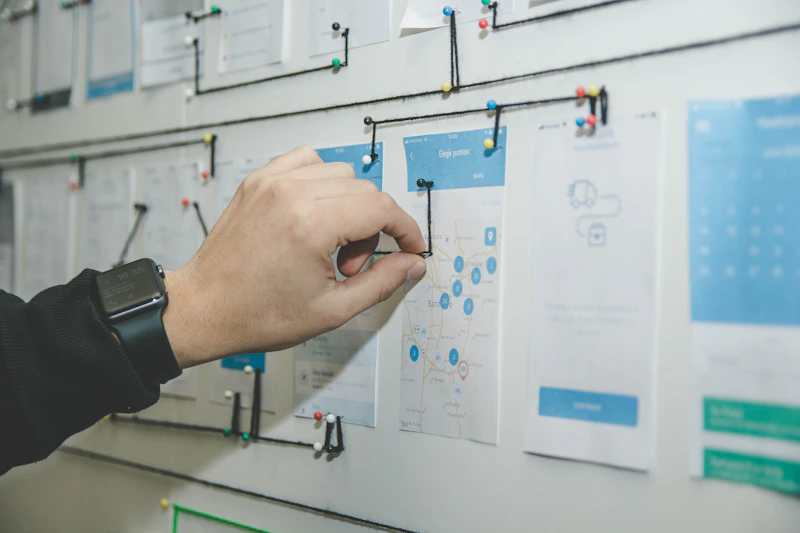
Retrospective facilitators and RACI/responsibility matrix builders round out the top five. The retro skill takes raw team feedback and clusters it into themes, identifies recurring issues across multiple sprints, and even suggests specific experiments to try. The RACI builder takes a project charter or scope document and drafts responsibility assignments that you can refine, rather than building from scratch on a whiteboard.
What Makes a PM-Grade AI Skill Different
There's a meaningful gap between a generic prompt and a skill built for project management contexts. The difference comes down to three things: structured output, domain awareness, and composability.
Structured output means the skill produces something you can immediately use—a table, a formatted update, a categorized list—not a wall of text you then have to reorganize. Domain awareness means the skill understands PM concepts like critical path, velocity, and stakeholder mapping without you having to explain them every time. And composability means the output of one skill can feed directly into another. Your meeting notes skill produces action items that feed into your sprint planning skill that feeds into your stakeholder update skill.
This is why browsing a curated marketplace of skills matters more than trying to build everything from scratch. Someone who's run 50 retros has built a better retro skill than you'll craft on your first try. That's not a knock on your abilities—it's just how expertise compounds.
Building Your PM Skill Stack
The PMs getting the most value aren't using one magic skill. They're assembling a small stack—usually four to six skills—that covers their weekly rhythm. Monday planning, daily standups, mid-week stakeholder updates, Friday retros. Each touchpoint has a skill that cuts processing time by 50 to 70 percent.
Start with wherever you feel the most friction. If you spend 40 minutes after every meeting writing up notes, that's your entry point. If your status reports are the thing you dread every Thursday afternoon, start there. The project management skills on SkillsLib range from dead-simple single-purpose prompts to multi-step workflows that handle entire ceremonies.
"I used to think AI would replace project managers. Now I think it just replaces the version of project management that was mostly copy-paste and reformatting. The strategic work? That's more important than ever—and now I actually have time for it."
The Compounding Effect
Here's what's interesting about AI skills for project managers: the value compounds in ways that aren't immediately obvious. When your meeting notes are consistently structured, your team starts running better meetings because they know what the AI will extract. When your risk assessments happen weekly instead of quarterly, you catch problems when they're still cheap to fix. When stakeholder updates go out reliably and on time, trust builds—and trust means fewer "just checking in" interruptions.
One engineering manager tracked the impact over a quarter. Meeting follow-through rates went from 64% to 89%. Stakeholder satisfaction scores (yes, they measured these) jumped 22 points. And the PM on the team reported spending an extra six hours per week on actual strategic planning instead of administrative overhead. Six hours. That's almost a full extra day of high-value work, every single week.
Getting Started Without Overthinking It
The biggest mistake PMs make with AI skills is trying to automate everything at once. Pick one recurring task that frustrates you. Find or build a skill that handles it. Use it for two weeks. Refine it. Then move to the next one.
If you're not sure where to begin, browse what other PMs are using and look for skills with high ratings in the project management category. The best ones come with examples of input and output so you know exactly what you're getting before you commit. And because these are reusable skills—not one-off prompts—every improvement you make pays dividends across every future project.
The PMs who figure this out early aren't just more productive. They're more present in the work that actually matters: unblocking their teams, navigating ambiguity, and making the calls that no AI skill can make for them. The busywork is handled. The real work can finally begin.
Stay in the loop
Get notified about new skills, seller tips, and marketplace updates. No spam, unsubscribe anytime.
Related Articles
How to Use Claude Skills to Generate Meeting Agendas Automatically
Meetings without agendas waste everyone's time. Meetings with agendas nobody reads waste everyone's time slightly more efficiently. Here's how to build a Claude skill that generates agendas people actually use.
How to Build a Claude Skill That Handles Your Email Triage
Email overload is a productivity tax that most knowledge workers pay every single day. A well-structured Claude skill can categorize, prioritize, and draft responses for your inbox so you spend your attention on decisions, not sorting.
Building a Personal Knowledge Base with Claude Skills
Meeting notes pile up. Insights get buried. Important context disappears into Notion graveyard pages. Here's how to use Claude skills to actually process and organize your knowledge so it stays findable and useful.